






































Reconcile daily and close the month on schedule
We set up Odoo Finance with bank feeds, bill scanning and approval rules that match how your finance team works, so month-end starts with the bank already reconciled.
Free, 30 minutes, with a senior consultant. You leave with a recommended first phase or a clear reason to wait.

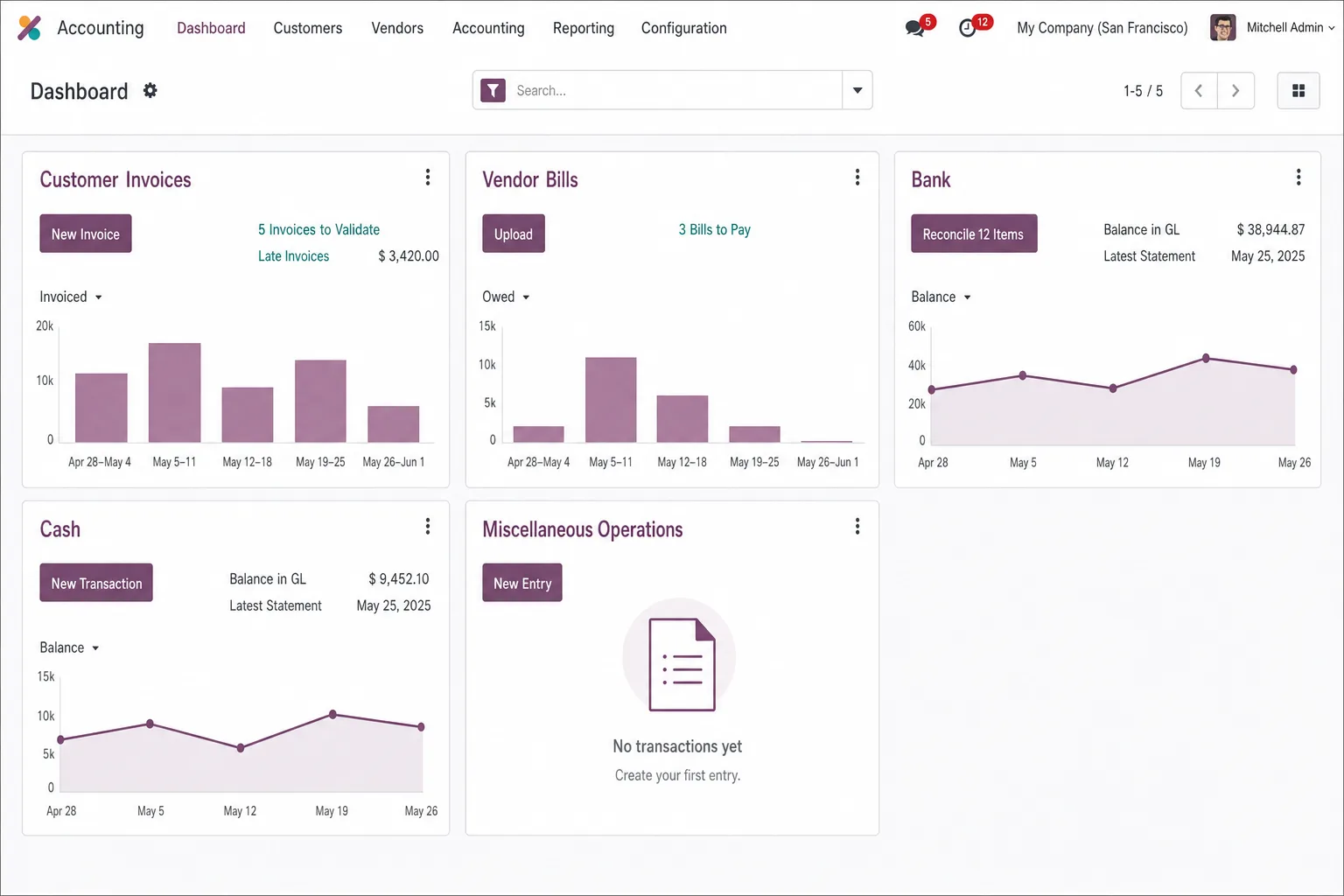
Senior finance staff spend their days on data entry
With invoicing and approvals in spreadsheets, month-end closes late.
Reconciliation eats the close
Staff match bank statements line by line, so the close drags and the board sees stale numbers.
Cash position is a guess
Vendor bills wait in an inbox and customer invoices go out late. Without live receivables, payables and bank sync, the cash forecast runs on last week's figures.
Manual entry breeds errors
Each hand-keyed bill risks a wrong VAT code, a duplicate payment or a misposted account. Audit trails are thin, and e-invoicing rules keep adding requirements.
Stalled rollouts make it worse
An Odoo Finance project stalls when the chart of accounts doesn't fit, taxes are configured late or the bank feeds never get connected.
What we configure in Odoo Finance
Customer invoices management
Issue, send and track customer invoices through to payment.
Expense management
Staff photograph receipts, managers approve them, and expenses post without retyping.
Payments management
Record, match and reconcile incoming and outgoing payments.
Bank synchronization and reconciliation
Bank transactions arrive daily, and matching rules propose a match for each line.
Budgets
Set budgets and compare them with actuals as transactions post.
Document management
Each financial document is attached to its record, ready for the auditor.
E-signatures
Collect signatures on financial documents online.
Bill digitization (OCR)
Odoo uses AI-based OCR to read vendor bills into draft entries. Your team checks each one before posting.
Ledger first, automation after
Your team reconciles real transactions early, and automation and compliance follow once the ledger is stable.
- 01
Discovery and chart of accounts
We map accounts, tax rules, approvals and reporting, then design the chart of accounts and tax setup. Both are hard to change once transactions post, so we settle them first.
- 02
Core ledger and invoicing live
Customer invoices and vendor bills go live with your templates, payment terms and branding.
- 03
Bank sync and reconciliation
We connect bank feeds and set matching rules that clear statement lines automatically. Your team reviews only the exceptions.
- 04
Bill scanning, expenses and e-signatures
Odoo reads and codes each bill and routes it for approval. Staff capture expenses on their phones, and documents are signed inside the workflow.
- 05
Budgets, e-invoicing and compliance, then the first close and launch stabilization
We configure budgets, analytic reporting and e-invoicing (Peppol, MTD), so you forecast against live actuals. Then we train your team, document the configuration and run the first month-end close with you.
For finance teams under pressure

Odoo reads supplier bills and matches them to purchase orders and receipts before anyone approves payment.
ManufacturingConnected to your bank, payment and compliance systems

Banking
Bank feeds arrive daily and match against open invoices and bills.



Payments
Payouts and fees reconcile against the invoices they settle.
Tax and e-invoicing
VAT returns go to HMRC and e-invoices go out over Peppol.


Email
Supplier bills forwarded by email arrive as drafts.


Reporting
Management accounts open in Power BI or Excel.


Previous system
Opening balances and history move across from QuickBooks or Xero.
A lower-risk move to Odoo Finance
One consultant designs your ledger
The senior consultant who designs your chart of accounts and tax setup also leads the cutover and closes the first month with you. A dedicated project manager keeps the releases on plan.
A person reviews every posting
Bill scanning and matching rules handle the volume. A member of your team reviews every entry before it posts to your books.
Numbers you can check at each phase
You reconcile real transactions from the first release, so a configuration error shows up long before the year-end audit.
A clean handover
Documented configuration and full knowledge transfer to your finance team.
Ways to start with Odoo Finance
Discovery sprint
A senior consultant reviews your close, chart of accounts, bank setup and compliance, then gives you a prioritized rollout plan. It takes one to two weeks at a fixed fee, which counts toward the first release if you go ahead.
First release
The core ledger, customer invoicing and vendor bills in production, configured to your accounting structure. Scope and price are fixed before work starts.
Full Odoo Finance rollout
Bank sync, bill scanning, budgets, e-invoicing and compliance, with training and your first month-end closed together.
Questions buyers ask
Can Odoo replace QuickBooks or Xero?
Yes, for most growing businesses. We move the chart of accounts, open invoices and balances, and set up bank feeds so reconciliation runs on live bank data from go-live.
Does Odoo handle several companies and currencies?
Yes. Several companies can share one database with intercompany rules, and each keeps its own currency, taxes and reports.
How does Odoo read supplier bills?
Suppliers send bills to a dedicated email address, Odoo reads them, and they arrive as drafts for your team to check and post.
Odoo or Business Central for our finance team?
Odoo suits businesses that want accounting on the same database as sales, stock and projects at a lower license cost. Business Central suits teams already on Microsoft 365 who report in Excel and Power BI. The readiness call gives you a leaning, and discovery gives you a written recommendation.